HDMI 2.1 Ports and Switching: What a Receiver Needs Now
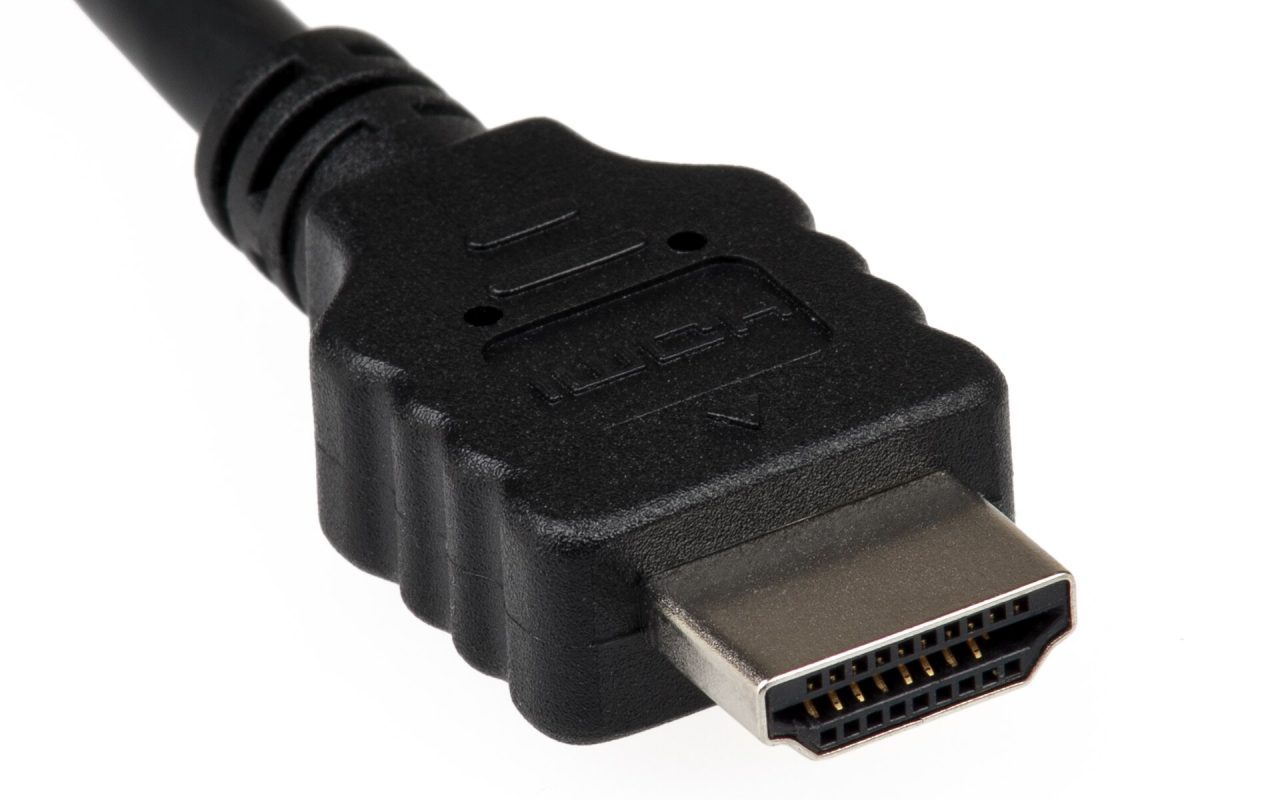
HDMI 2.1 is a set of capabilities rather than a single specification, and a receiver can support some of them while failing others. Ports labelled 2.1 may pass 4K at 120 Hz but not 8K, or pass video but not the higher audio bandwidth.
Option one: 4K at 60 Hz
This is the baseline that every current receiver meets, and it covers films, streaming and most consoles at 4K.
For a projector system running 24 or 60 frames per second, 4K60 is entirely sufficient.
Bandwidth required is 18 gigabits per second, well within HDMI 2.0.
Buying above this point only helps if a source actually outputs more.
For a cinema-first system, 4K60 is not a compromise.
Option two: 4K at 120 Hz
Gaming consoles and graphics cards can output 4K at 120 Hz, which needs 40 gigabits per second.
Only ports rated for 40 or 48 gigabits will pass it.
Some early 2.1 receivers had a hardware fault that prevented this from working, and the fault required a board replacement.
Check the specific model's documentation rather than the label on the box.
If no source runs at 120 Hz, the feature is decorative.
Option three: 8K and 48 gigabit ports
8K at 60 Hz needs the full 48 gigabits, and almost nothing domestic produces it.
The 48 gigabit rating is more useful for its headroom than for 8K itself.
It also allows 4K at 120 Hz with 12 bit colour and no compression.
Paying for 48 gigabit ports buys future tolerance rather than present function.
Whether that tolerance is worth the premium depends on how long the receiver will be kept.
Option four: the single high bandwidth port
Some receivers provide only one full bandwidth input and several reduced ones.
That is fine if only one device needs it, which is usually the case.
The console or the PC takes the fast port and everything else uses the rest.
Label the ports physically so nobody has to remember.
Port allocation is a housekeeping decision more than an engineering one.
Option five: eARC and audio return
Enhanced audio return channel sends uncompressed surround from the television to the receiver over one cable.
It matters when the television is the source of the content, as with built-in streaming apps.
Ordinary ARC is limited to compressed formats, which is why eARC exists.
Both ends must support it, and the cable must be certified for the bandwidth.
Cheap long cables are the most common cause of eARC dropouts.
Option six: HDCP 2.3 and copy protection
Every link in the chain must support the current copy protection version, or the image falls back to lower resolution.
An older splitter or a long cable can force that fallback without any error message.
When a 4K source displays at 1080p, HDCP negotiation is a likely cause.
Test the chain device by device before blaming the receiver.
Copy protection is invisible when it works and baffling when it does not.
Option seven: cable length and certification
Passive HDMI cables work reliably to about 5 metres at 18 gigabits and 3 metres at 48.
Beyond that, an active or hybrid fibre cable is required.
Certification labels are printed on the connector housing and worth checking.
A projector 8 metres from the receiver will need a fibre cable for 4K120.
Cable quality at length is the least glamorous and most common failure point.
Option eight: switching latency and handshakes
Every switch between sources forces a new handshake, which can take 2 to 8 seconds.
A receiver that blanks the screen during a handshake is normal, not faulty.
Some models handle this better than others, and reviews rarely mention it.
If the household switches sources often, this becomes a daily irritation.
Ask about handshake behaviour before buying rather than after.
Option nine: video processing and passthrough
Scaling and noise reduction inside a receiver usually do more harm than good.
Passthrough leaves the image untouched, which is what most people want.
Some receivers apply processing by default, which softens detail subtly.
Check the setting and turn it off for film.
The display is better at scaling than the receiver is.
Option ten: standby passthrough
Passing a signal while the receiver is off lets the household watch television without the amplifier running.
Not all models support it, and some support it only on one port.
For everyday television watching, this single feature prevents a great deal of friction.
It also saves power on long evenings of news.
Convenience features like this are used more often than the bandwidth ones.
Option eleven: firmware and compatibility
HDMI problems are frequently fixed by firmware, so a receiver that can update over the network is easier to live with.
Early adopters of a new standard usually spend a year installing patches.
Waiting one model year after a standard change is the calmer strategy.
The second generation of a port standard is usually the one that works.
Standards settle; the first products that claim them do not.
Option thirteen: fibre and copper in the same run
Hybrid fibre cables carry the high speed lanes optically and the low speed ones over copper.
They are directional, so the connector marked for the display must go to the display.
Installing one backwards produces no image, which is a memorable five minutes.
At runs beyond 8 metres they are the only reliable option for full bandwidth.
Long projector runs are where cable choice stops being an afterthought.
Option fourteen: the splitter temptation
A splitter that feeds both a television and a projector seems convenient and usually breaks copy protection negotiation.
Cheap splitters downgrade the signal silently, and the symptom is a lower resolution rather than an error.
A receiver with two outputs, one of them dedicated, is the reliable route.
Where two displays must run simultaneously, the second output needs its own bandwidth budget.
Every device added to the chain is another place for the handshake to fail.
Option twelve: what to buy for the room you have
Projector at 24 frames per second: 4K60 is enough, and eARC is worth having.
Console gaming alongside film: 4K120 on at least one port, with a certified cable.
Streaming through the television: eARC and HDCP 2.3 support matter more than bandwidth.
Everything else is a specification to compare in a shop, and the receiver's real job is switching inputs without complaint for a decade.